

Skip to content
PeekWell
Join now
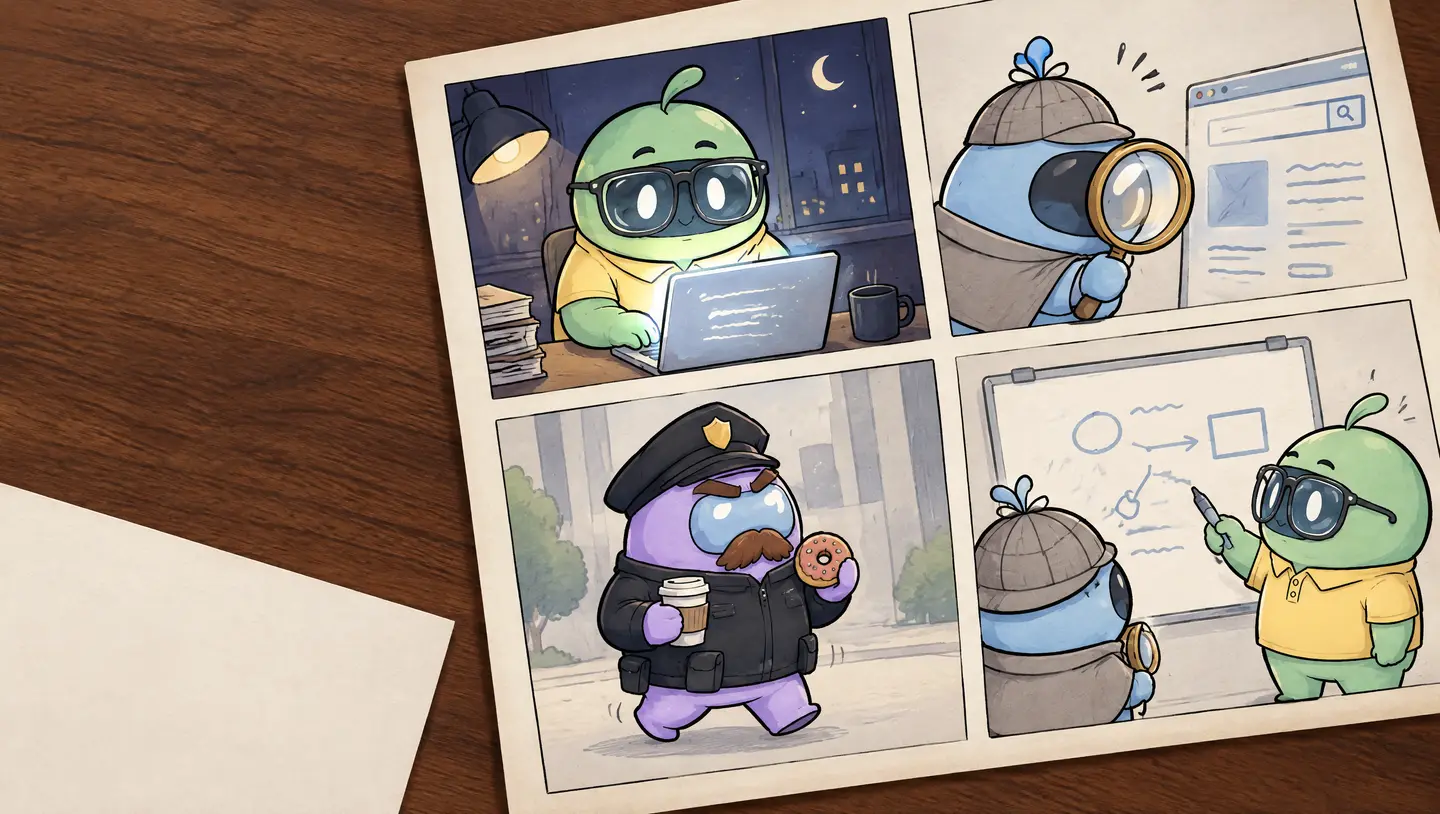
Comic pages on a wooden desk. Cheeky works late at a laptop, Peeky studies a website through a brass magnifying glass, the Officer strolls by with a coffee and a doughnut, and Peeky and Cheeky talk it through at a whiteboard.

See what a regulator would see. Before they do.

Peeky reads your public pages the way an auditor would: trackers and cookies, privacy policies, reviews, pricing, accessibility and more. 10+ checks per jurisdiction, with a fix for every finding.

What is website compliance? A short story.

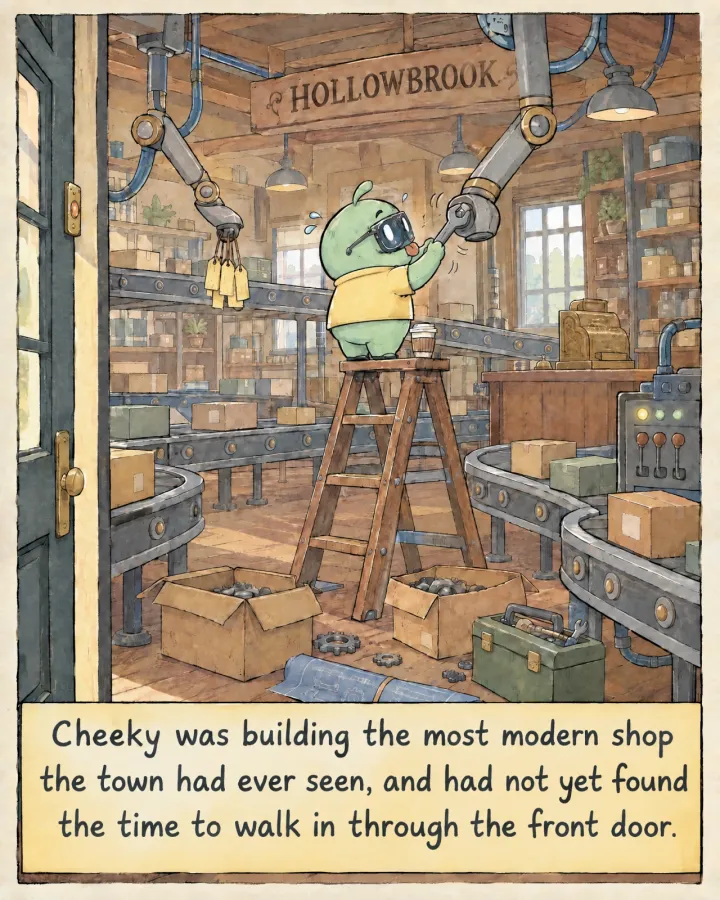
  1. Cheeky stands on a stepladder in a shop full of conveyor belts and robot arms, tightening a bolt with a wrench, back turned to the open front door.
    Cheeky was building the most modern shop the town had ever seen, and had not yet found the time to walk in through the front door.
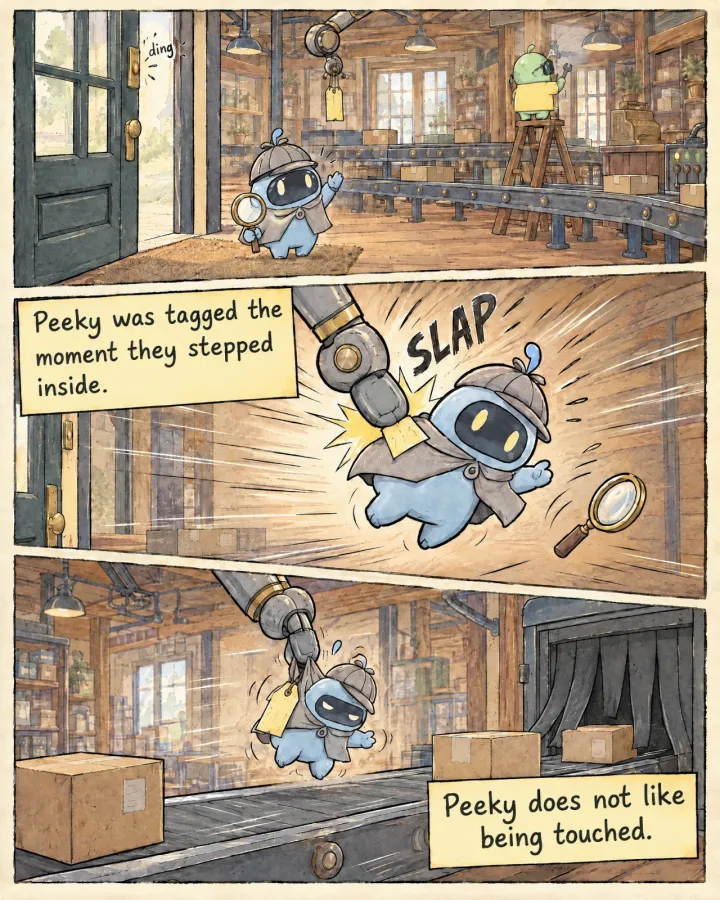
  2. Peeky steps through the shop door and waves. A robot arm slaps a paper tag on Peeky’s back, then another arm drops Peeky onto a conveyor belt.
    Peeky was tagged the moment they stepped inside.Peeky does not like being touched.
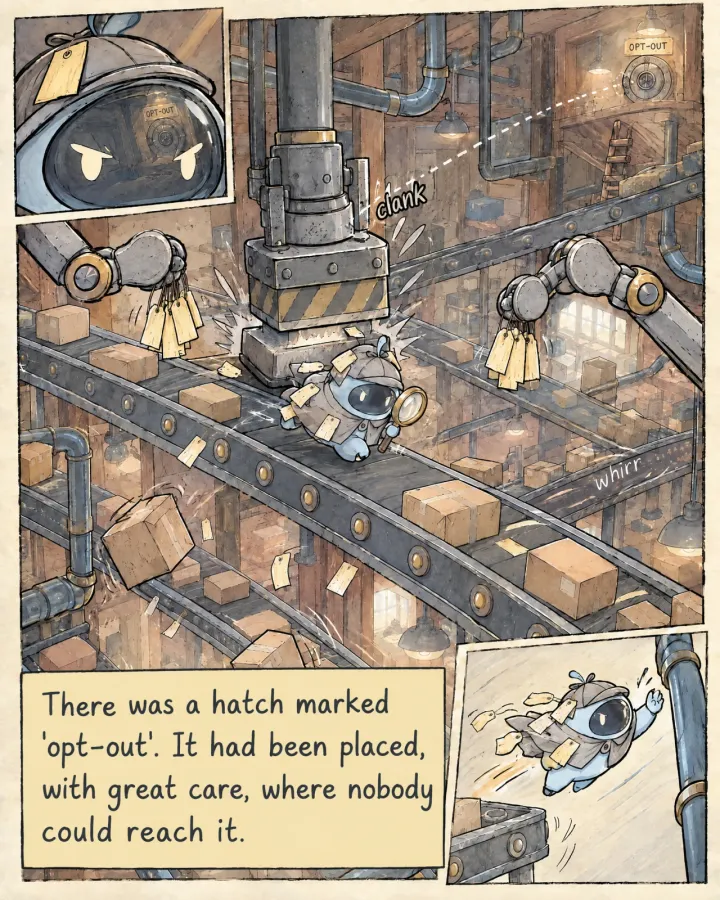
  3. Peeky runs along a conveyor belt covered in paper tags, under a stamping press and between two robot arms. Far above, past a broken ladder, is a small hatch with a sign that reads opt-out. Peeky leaps for a pipe.
    There was a hatch marked ‘opt-out’. It had been placed, with great care, where nobody could reach it.
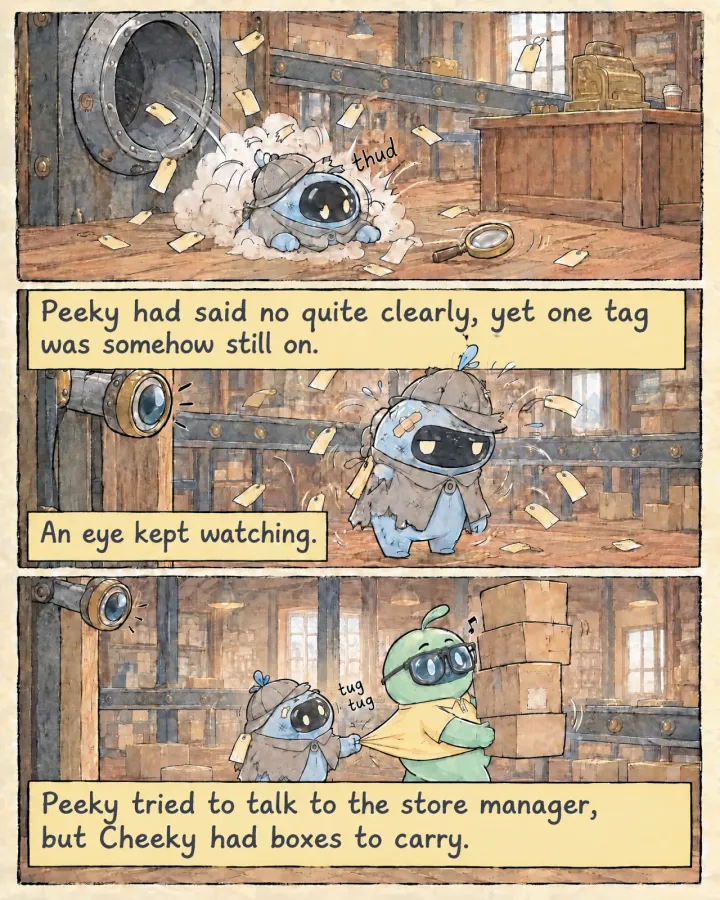
  4. Peeky tumbles out of a chute onto the shop floor, then shakes off the tags, cape torn and a plaster on the head, while a mechanical eye watches. Peeky pulls at Cheeky’s shirt, but Cheeky walks on with a tower of boxes.
    Peeky had said no quite clearly, yet one tag was somehow still on.An eye kept watching.Peeky tried to talk to the store manager, but Cheeky had boxes to carry.
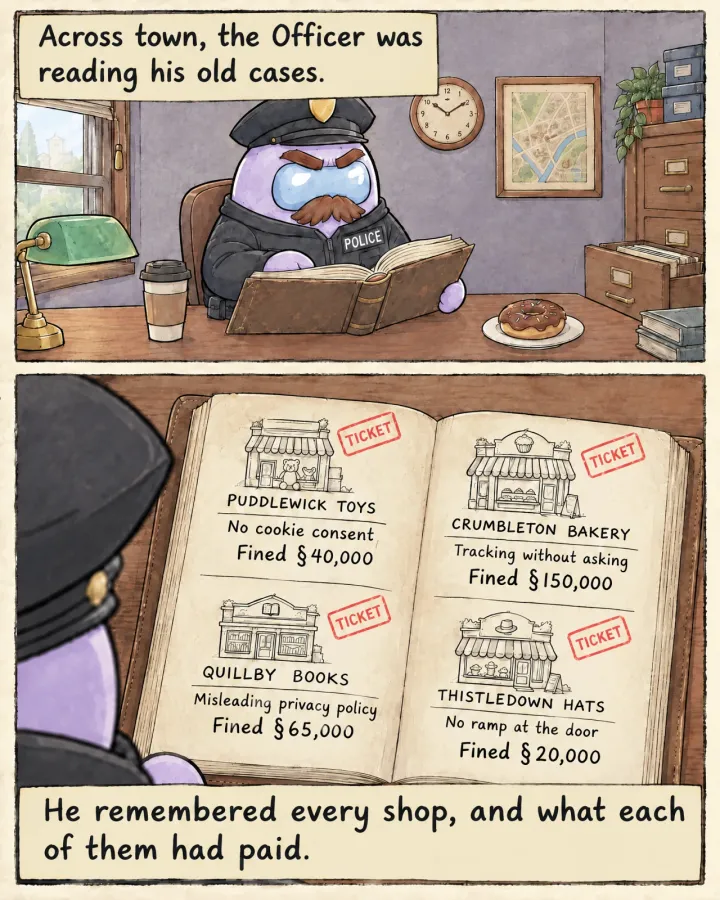
  5. The Officer reads a leather casebook at his desk. Over his shoulder, the open pages list four made-up shops and their fines in Simoleons, written with the § sign. Puddlewick Toys: no cookie consent, fined 40,000. Crumbleton Bakery: tracking without asking, fined 150,000. Quillby Books: misleading privacy policy, fined 65,000. Thistledown Hats: no ramp at the door, fined 20,000.
    Across town, the Officer was reading his old cases.He remembered every shop, and what each of them had paid.
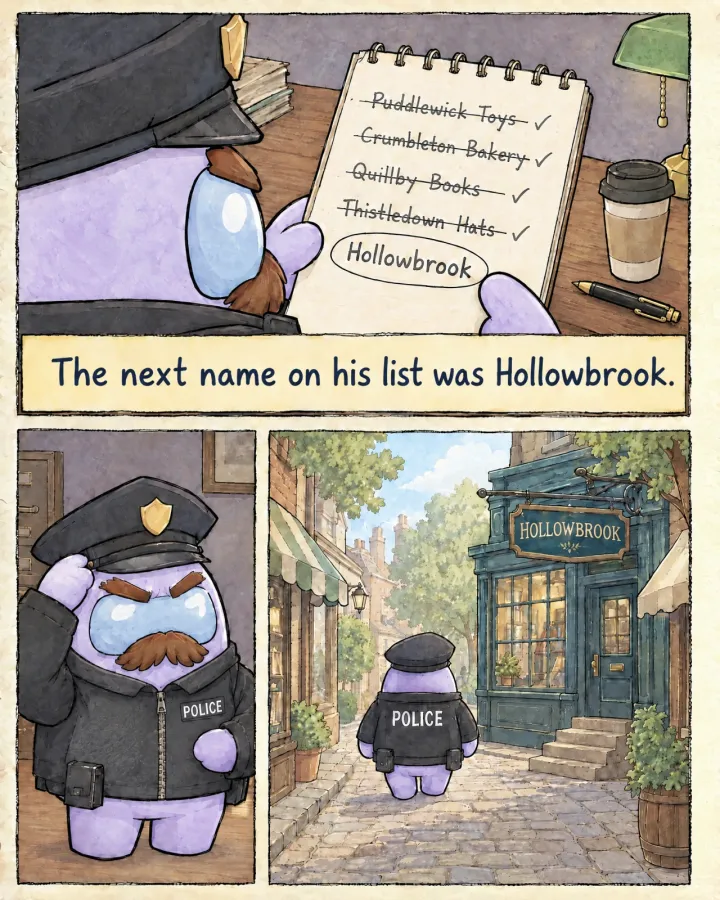
  6. The Officer’s notepad lists the same four shops, each crossed out, and Hollowbrook with a ring around it. He straightens his cap and walks down a cobbled street towards the Hollowbrook shop.
    The next name on his list was Hollowbrook.
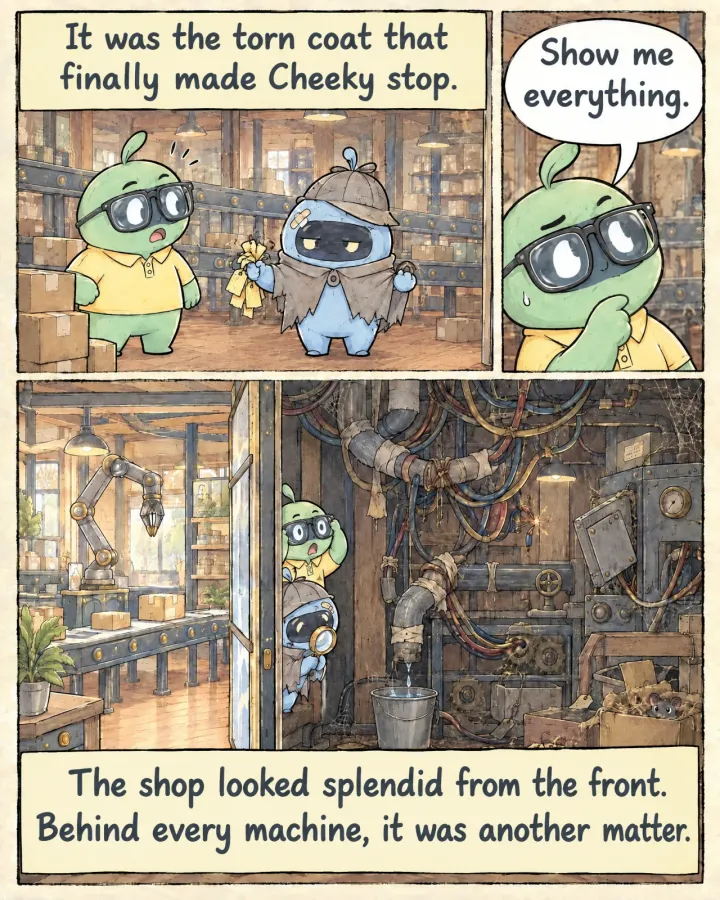
  7. Cheeky turns and sees Peeky holding up a handful of tags and the torn cape. Cheeky thinks it over. A cutaway of the shop shows a tidy front and, behind the machines, tangled wires, taped pipes and a leak dripping into a bucket.
    It was the torn coat that finally made Cheeky stop.Cheeky: “Show me everything.”The shop looked splendid from the front. Behind every machine, it was another matter.
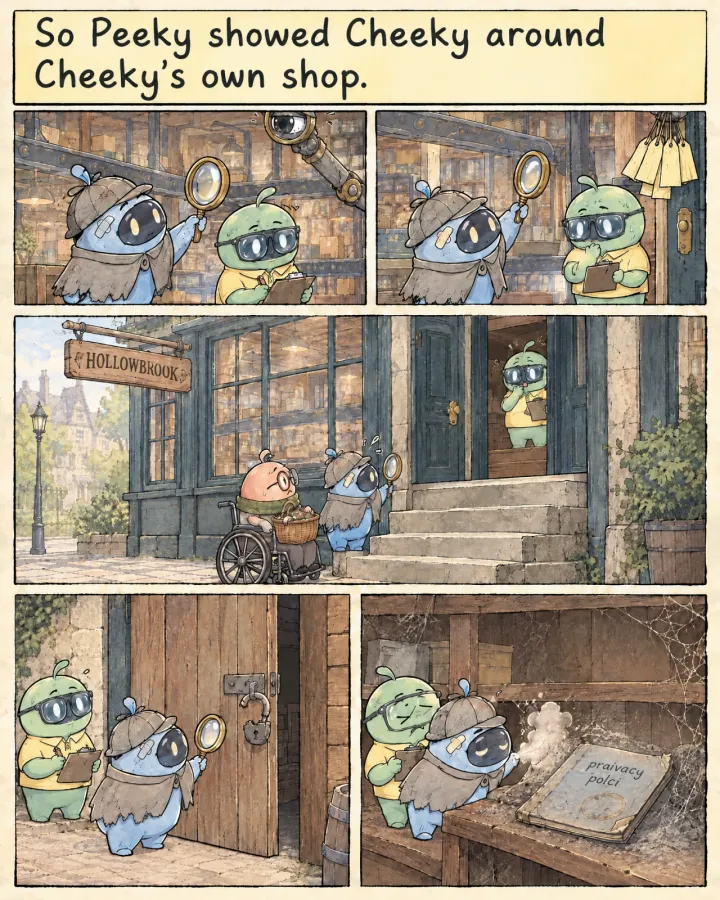
  8. Peeky points things out with the magnifying glass while Cheeky takes notes: the mechanical eye, the arm holding tags, a customer in a wheelchair stopped at the front steps, a broken padlock on the back door, and a dusty notebook with praivacy polci scrawled on its cover.
    So Peeky showed Cheeky around Cheeky’s own shop.
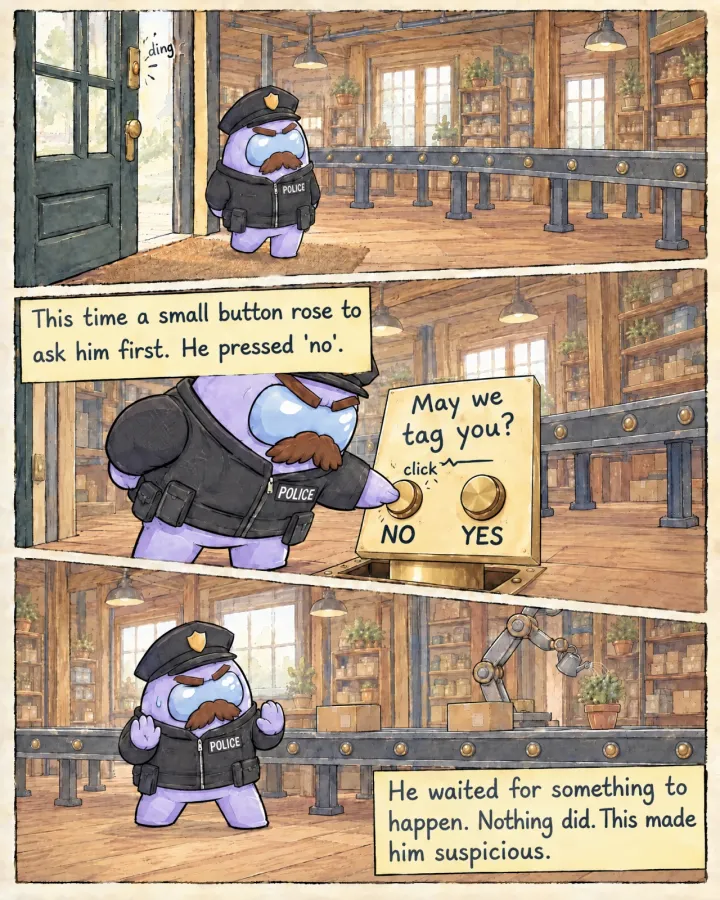
  9. The Officer walks in through the shop door and no arm comes down. A small brass stand rises from the floor with a sign that reads May we tag you? and two buttons. He presses the one marked no, then braces with his hands up while a robot arm waters a plant.
    This time a small button rose to ask him first. He pressed ‘no’.He waited for something to happen. Nothing did. This made him suspicious.
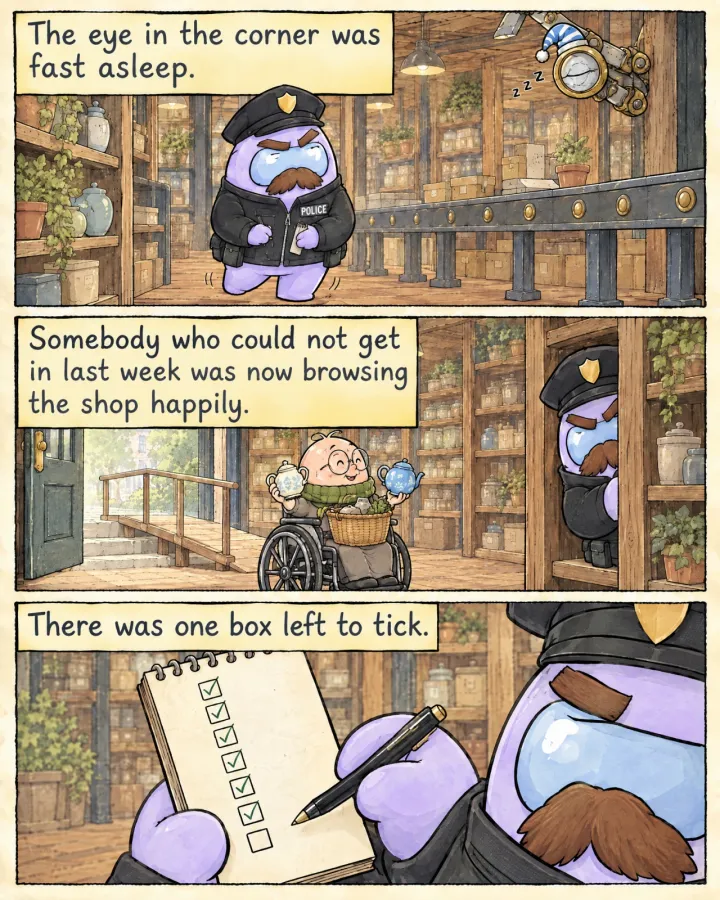
  10. The Officer tiptoes down an aisle past the mechanical eye, which is asleep in a nightcap. The customer in the wheelchair is inside the shop comparing two teapots, with a new ramp at the door behind. The Officer’s notepad shows a column of ticks and one empty box.
    The eye in the corner was fast asleep.Somebody who could not get in last week was now browsing the shop happily.There was one box left to tick.
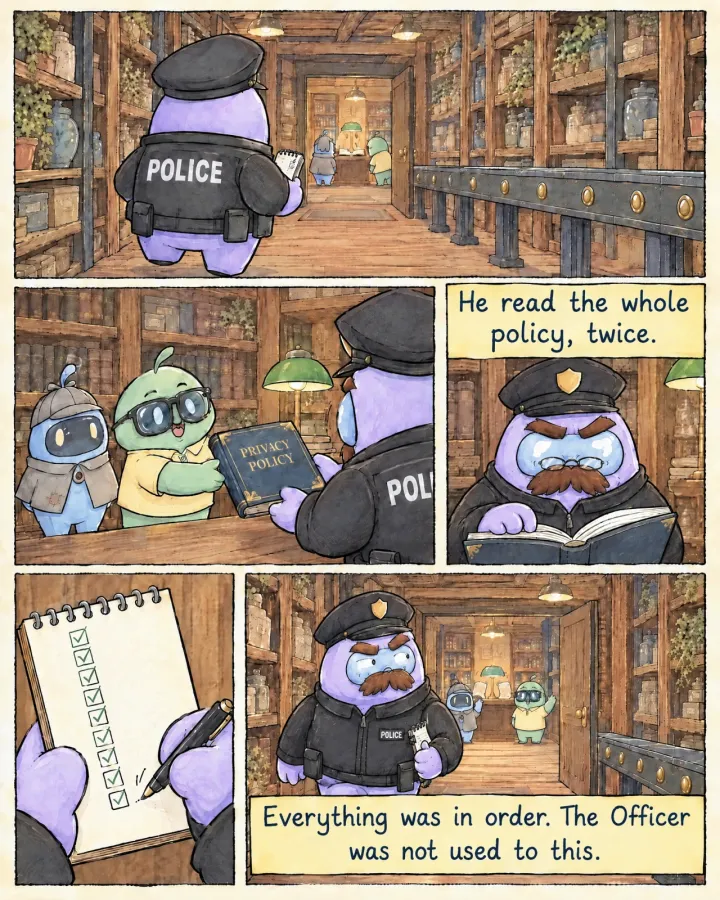
  11. The Officer walks through the shop to the back office. Cheeky hands him a new book titled Privacy Policy while Peeky looks on. He reads it through small glasses, ticks the last box on his notepad and walks out with a sideways glance as Peeky and Cheeky wave.
    He read the whole policy, twice.Everything was in order. The Officer was not used to this.
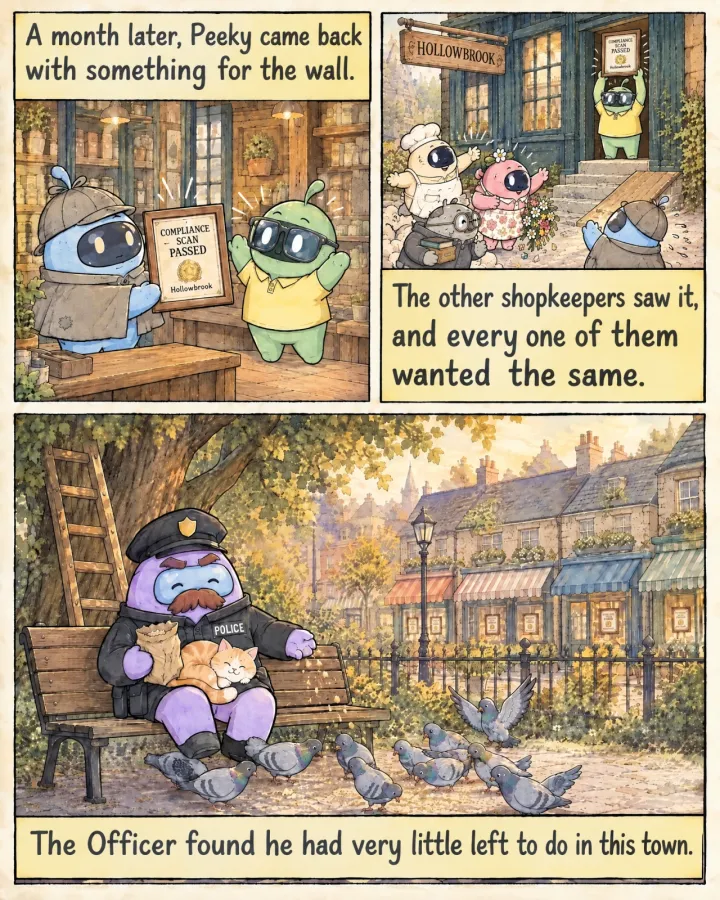
  12. Peeky hands Cheeky a frame that reads Compliance scan passed, Hollowbrook. Cheeky holds it up at the shop door while a baker, a florist and a bookseller rush towards Peeky. In the park, the Officer sits on a bench with a cat on his lap, feeding pigeons, and every shop window behind him has a frame.
    A month later, Peeky came back with something for the wall.The other shopkeepers saw it, and every one of them wanted the same.The Officer found he had very little left to do in this town.

What Peeky looks at

Every scan is a round of questions about your public pages. Here are eight of them, answered for hollowbrook.app, a site we made up.

54

hollowbrook.appFirst scan, 3 June 2026. Score 54 of 100.

Of these eight

passed
3
worth a look
3
critical
1
couldn’t be observed
1
  1. Critical

    _ga set 1.25 s after load. Banner not answered yet.

  2. High

    Intercom gets data from /pricing. The policy says “trusted service providers”.

  3. Passed

    The policy gives privacy@hollowbrook.app and links a request form.

  4. EU-12Reviews, pricing and subscriptions

    Does the countdown start again on every visit?
    Medium

    “Offer ends in 09:59” on three loads, an hour apart.

  5. EU-13Reviews, pricing and subscriptions

    Can people see the renewal price before they pay?
    Passed

    Renewal price and how to cancel sit next to Subscribe.

  6. Low

    3 icon buttons on /pricing have no name.

  7. Not observed

    No newsletter archive is linked. Peeky doesn’t sign up to find out.

  8. Passed

    http redirects to https. Strict-Transport-Security is set.

For information only. Not legal advice.

That’s eight of them. See every check, by jurisdiction.

One finding, three ways to read it

This card is from a sample report on hollowbrook.app. This one’s a cookie. Every other check writes its findings the same three ways.

Critical
ePrivacy · GDPRCookies

Google Analytics sets a cookie before consent

Google Analytics set _ga on https://hollowbrook.app/ 1.25 seconds after the page loaded, before anyone answered the cookie banner. Non-essential cookies need a visitor’s agreement first, and this is one of the first things regulators have checked, because it shows in the network log.

Read more details on the wiki

What Peeky saw

GET https://www.google-analytics.com/g/collect?v=2&tid=G-7K2XQ4 204 t+1.25s
Set-Cookie: _ga=GA1.1.6604.1727; Max-Age=63072000; SameSite=Lax
Consent state: banner visible, no interaction
After Reject all: GET https://www.google-analytics.com/g/collect 204

In plain words

In plain words

Google Analytics puts a cookie on your visitors’ browsers before they click “accept cookies”. It’s like a shop signing you up for its loyalty card the moment you walk in, before you’ve said whether you want one. Cookies should load only after a visitor agrees to them. This is usually a setting in your cookie banner.

The fix

  1. Load Google Analytics from your consent tool’s accept callback instead of on page load.
  2. If you use Google tags, set consent mode to “denied” by default.
  3. Re-scan to confirm no request fires before the click.

Ready prompt for your AI coding tool

PeekWell EU-01 (Non-essential trackers firing before consent) observed on hollowbrook.app: Google Analytics sets a cookie before consent.

Find where Google Analytics is loaded (look for _ga-setting scripts in the layout template or tag manager). Move the loader behind the consent tool's accept event, so nothing from Google Analytics runs until the visitor accepts. Keep the session cookie as is. Then test: open hollowbrook.app in a private window, do not touch the banner, and confirm in the network tab that no request goes to Google Analytics; accept, and confirm it loads.

Do not change unrelated behaviour. Summarise the change and how you tested it.

Peeky, magnifying glass in one hand, explaining with the other.
That’s me, Peeky. I read websites for a living.

Small things are found first

Most of what I find is small. An analytics tag that fires too early. A countdown that resets every time you reload. A privacy policy that no longer accounts for your chat widget.

Small things are easy to miss, and websites change constantly. So I look at your site the way a visitor would. I open your public pages, access your members area if you provide a sign-in, interact with your cookie banner, read your linked policies, and check your reviews, prices, sign-up forms and footer.

Then I document what I find, where I found it, and how to fix it. Each finding comes with a practical fix you can hand to your developer or paste into your AI coding tool. What the law makes of it isn’t my call. Your lawyer gets that one.

I only inspect pages and functionality I’m authorised to access. No port scanning, no breaking in, no security testing. PeekWell identifies potential compliance issues; it isn’t a security testing service.

For information only. Not legal advice.

Why it matters at your size

A team of five

For founders and small teams.

  • You ship most weeks, and a release can bring a new script with it.
  • The cookie banner, the reviews widget and the countdown were each set up once, on somebody’s free afternoon.
  • The privacy page was written before the chat widget arrived.
  • An investor or a big customer may ask about it before you’ve looked.

You get: a fix and a ready prompt for each finding, so the next free afternoon is enough.

A portfolio to watch

For investors, accelerators, grant programmes and public bodies.

  • You wouldn’t back a company that trips over the first simple check a regulator runs.
  • With PeekWell you don’t need an audit team of your own to screen every application, deal or grant.
  • A questionnaire tells you what a founder believes. A scan shows what the website did.
  • Peeky checks again every month, so you can stop wondering what changed since you signed.

You get: the same checks on every company, written down the same way, and run again every month.

Ask us about Organizations

Compliance monitoring for small and medium companies

PeekWell is for teams that ship fast and want to know what’s wrong on their site and how to fix it before an audit arrives. Then, keep an eye on it periodically to keep making sure they are compliant, without much hassle.

Here’s how different kinds of people use PeekWell

  • A solo founder

    Launching a SaaS in the EU and US without a compliance team or time to read the ePrivacy Directive. The first scan flags two issues: analytics running before users accept cookies, and a payment provider missing from the privacy policy. The founder pastes the fix prompts from PeekWell and implements the suggested fixes that same afternoon. A month later, the next scan confirms the fixes are still holding.

  • A vibe-coded shop

    A family business selling online through its own Shopify shop. The younger sibling built the pages with an AI assistant, pasting in code without knowing the rules. The report tells them in plain words what needs fixing: a countdown that restarts on every visit, reviews no customer wrote, and a cookie banner with no Reject button. Most fixes are a setting in Shopify or a few lines of code to change.

  • A website agency

    They build websites and web services for clients, scanning each one before handover to catch compliance issues before launch. Every site ships clean with a compliance badge in the footer. Monthly monitoring becomes part of the agency’s maintenance plan, while the badge signals to prospective clients that compliance is built into every project.

  • An investment firm

    Dozens of portfolio companies, all shipping fast. A one-off review at signing said they were fine. Six months later, under the pressure of sales and advertisement, two had added trackers that ignore consent and one had created a manipulative checkout process. With Organizations, every company is scanned each month and the firm sees who slipped without chasing anyone.

Questions about your own kind of team? Who it’s for, on the FAQ page.

Five months of Hollowbrook

With Accreditation, Peeky runs every check again each month, and new ones join as the rules change. Your badge shows what the latest scan saw, so customers and investors see this month, not launch day. Step through the months. When the score drops under 70, the badge goes back to “not active” by itself.

PeekWell score One scan a month on hollowbrook.app. The badge is on from 70 up.

June 2026

PeekWell accreditation: not activePeekWellnot active
Sample badge for hollowbrook.app, an imaginary site.
54

Last scan 3 June 2026

First scan. Trackers before consent, a countdown that restarts and a privacy page that skips Intercom.

July 2026

PeekWell accreditation: not activePeekWellnot active
Sample badge for hollowbrook.app, an imaginary site.
63

Last scan 3 July 2026

Banner and countdown fixed. The privacy page still doesn’t name Intercom. Not at 70 yet.

August 2026

PeekWell accreditation: accredited 74%PeekWellaccredited 74%
Sample badge for hollowbrook.app, an imaginary site.
74

Last scan 3 August 2026

Over 70. The badge switches on by itself.

September 2026

PeekWell accreditation: not activePeekWellnot active
Sample badge for hollowbrook.app, an imaginary site.
66

Last scan 3 September 2026

A new reviews widget shows testimonials with no word on how they’re checked. Badge off, on its own.

October 2026

PeekWell accreditation: accredited 76%PeekWellaccredited 76%
Sample badge for hollowbrook.app, an imaginary site.
76

Last scan 3 October 2026

The reviews page says how reviews are collected now. Badge back on.

Passed means the expected behaviour was observed on the pages scanned. Neither a Passed nor the score says a website is compliant.

A cookie scanner, and a lot more

A cookie scanner shows what loads before a visitor says yes. Peeky tests that four ways, then reads your privacy policy against what your pages send, looks at reviews, prices, accessibility and security, and names the law behind each finding.

  • Your consent banner runs the choices. PeekWell checks it works in every market you sell in.
  • Your lawyer reads the law for you. PeekWell hands them the evidence every month.
  • An accessibility audit is one day’s snapshot. PeekWell tests in every monthly scan.

See how PeekWell compares with other tools

We’ll sort out the privacy page after the raise Peeky’s correction: this afternoon.

Quick questions

Does my website need a privacy policy?

Almost always. If your site collects anything about visitors, analytics included, the rules in the EU, UK and US expect a privacy policy people can find from any page.

Peeky checks that yours loads and that it names the services your site talks to. When something’s missing, the report suggests the wording and the fix prompt can add it. A lawyer should still read the final policy, because only they can say whether it covers what your business does.

The rule is in the Handbook: EU-09, UK-10 and US-13.

Is PeekWell a cookie checker?

It checks cookies, and a lot more. Cookies and consent are about a quarter of the checks. The rest look at privacy policies, data requests, reviews and countdowns, pricing and subscriptions, accessibility, marketing email and the connection itself.

A cookie checker lists what your site sets. Peeky also reads what your policy says about it, what your reviews and prices show, and whether a visitor can find how to cancel. Every check is on How it works.

Does it replace my cookie banner tool?

No, and they work well together. Cookiebot and CookieYes run your banner. Peeky tests that banner from the outside, four ways, and checks the rest of your site in the same visit.

A banner from a well-known provider can still be set up in a way that misses one market’s rules. Tracking on until someone opts out may suit US visitors, but in the EU and the UK nothing should load before a yes. The fix is usually a setting in your banner tool.

The Handbook has EU-03 and UK-02.

Is there a free check?

Yes, once. Trial gives you one website in one jurisdiction, with the score, the summary and one finding in full. You don’t need a card.

See what Trial includes.

Is this legal advice?

No. The report says what Peeky saw and what the rule expects. What that means for your business is a question for your lawyer.

For information only. Not legal advice.

The Terms say the same.

If the report looks clean, will a regulator leave me alone?

Not quite. A clean report means Peeky didn’t see a problem on the pages it scanned. It can’t see your contracts or the emails you send, and it doesn’t speak for any regulator.

See what Peeky can’t see.

More on the FAQ page.

Find it before the Officer does

Your first look is free, and your report is ready within a day.

Join now